
Usage Instructions
Step 1
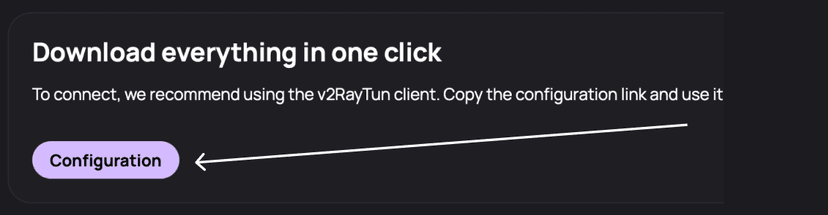
Go to your dashboard to the list of locations and click the “Configuration” button
Step 2
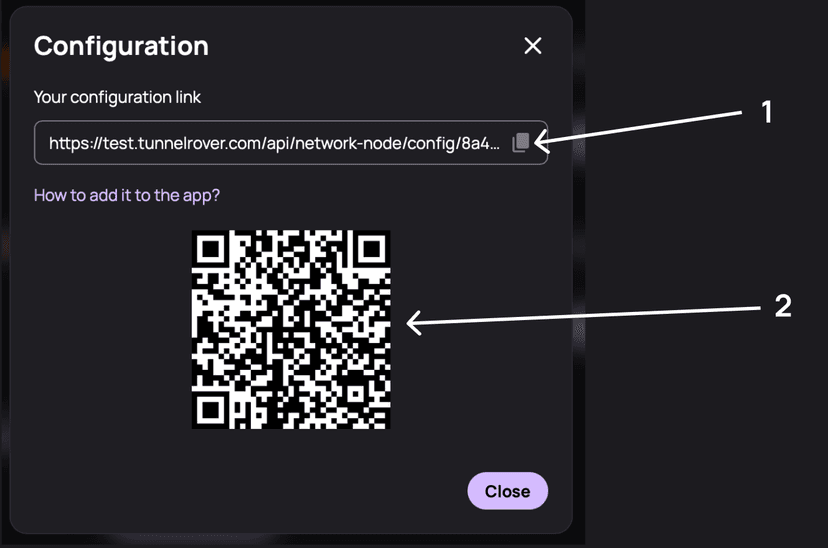
In the window, copy your configuration link (1) or scan the QR code (2) in the Happ application (see below)
Step 3
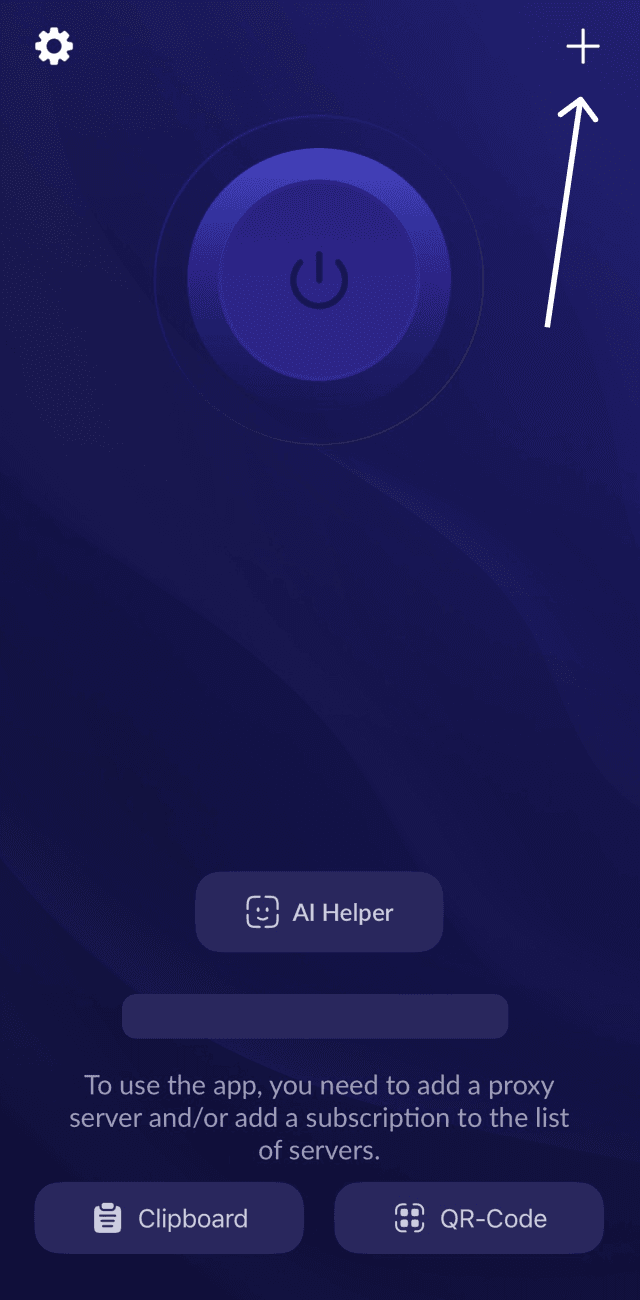
Install the Happ app from the App Store on your iPhone or iPad, then launch the app and tap the “+” button
Step 4
In the menu that opens, select “Subscription URL” (1) or “QR Code” (2). If you choose option (1), you will need to enter the link from step 2. If you choose option (2), you can simply scan the QR code from step 2.

Step 5
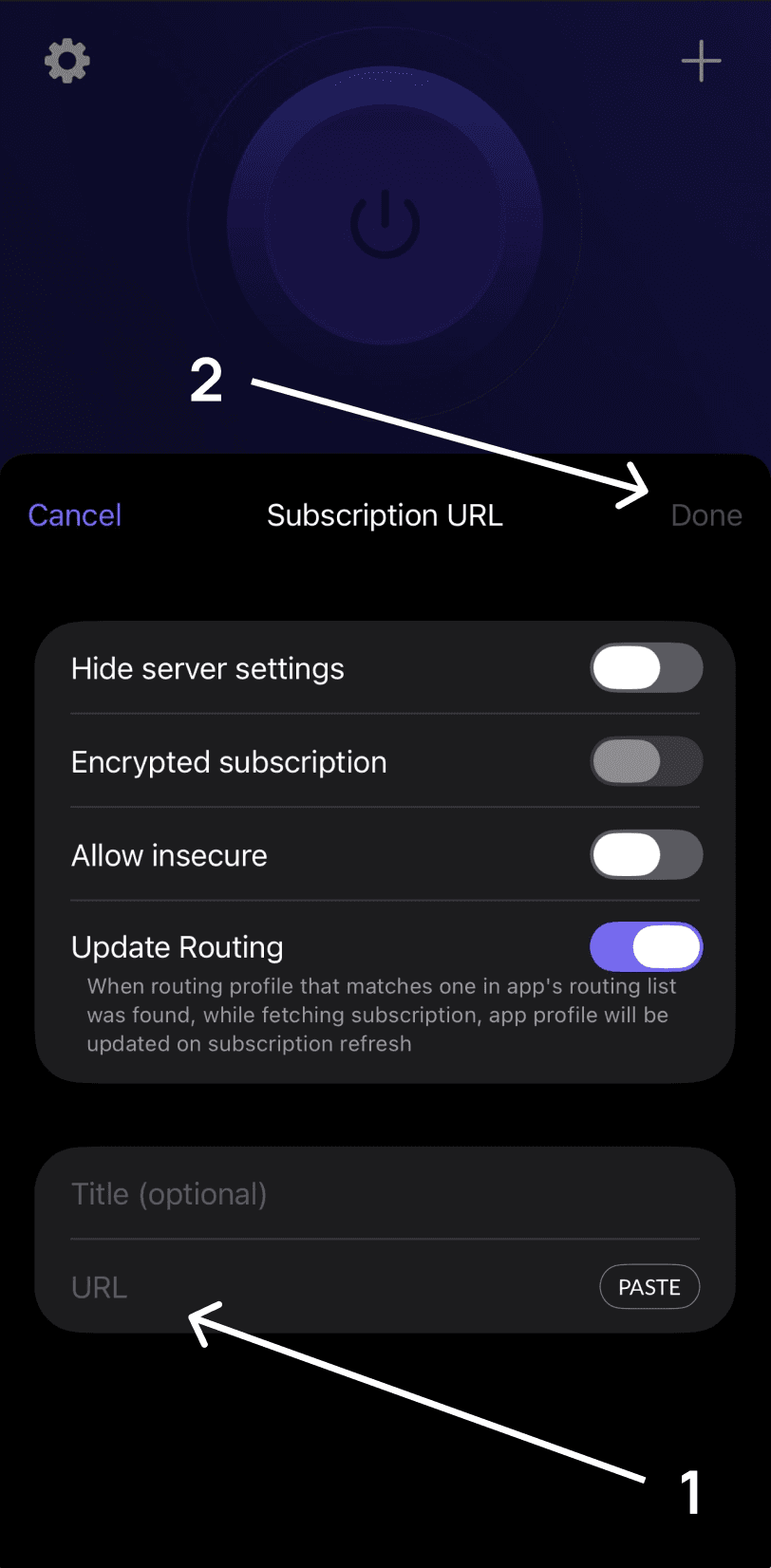
Enter the link from step 2 into the “URL” field (1), then tap the “Done” button (2).
Step 6
Now select a location and tap the large connect button. Done!
